Product
Built around the extension lifecycle.
Built for MV3: the service worker, popups, options pages, side panels, and content scripts.
How it works
From code to context.
Install once. Then follow usage, compare events, and trace errors.
Connect the SDK.
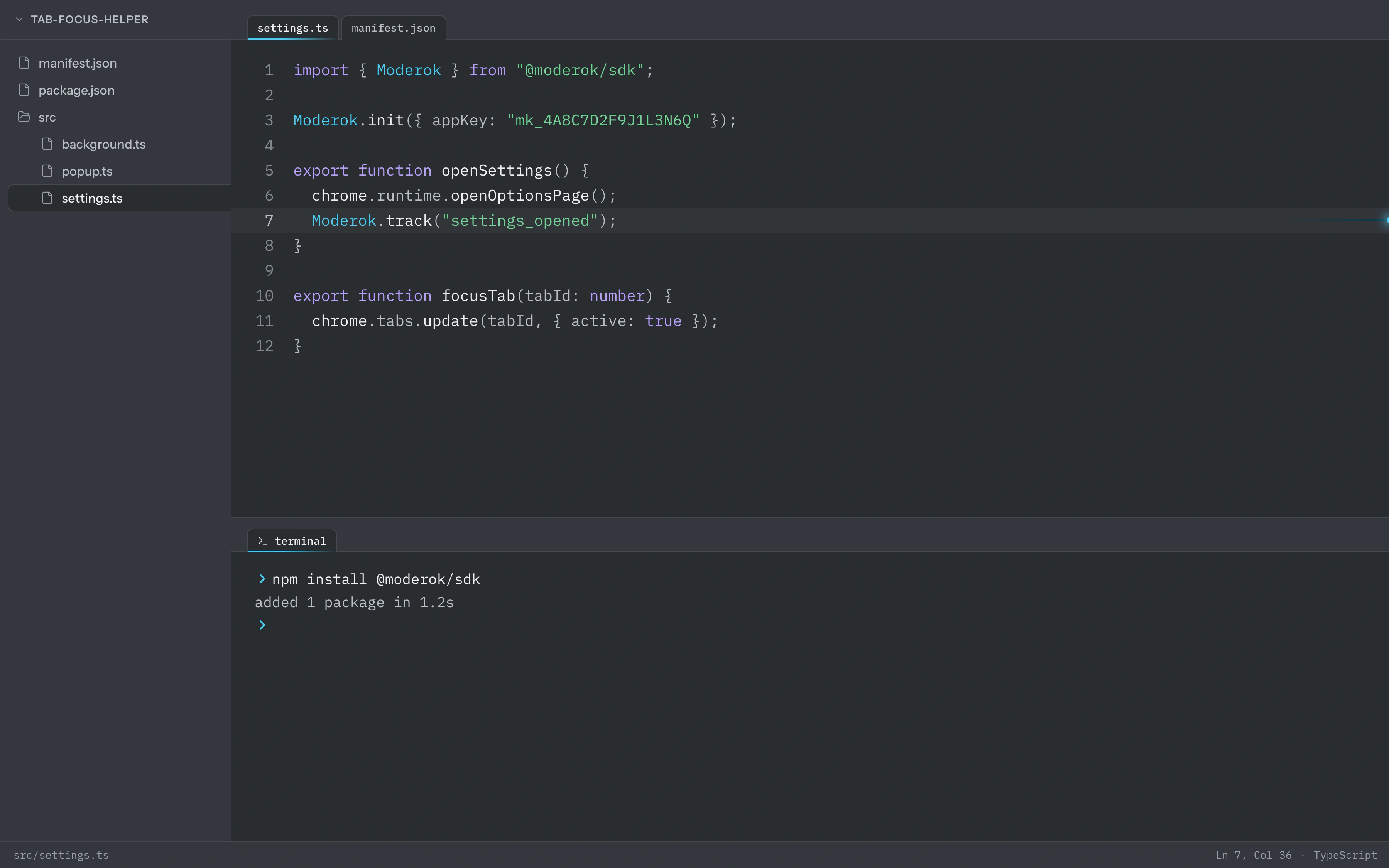
Install the package, allow storage, and call Moderok.init at the top of your service worker. That is the whole setup.
01Connect
Connect the SDK.
Install the package, allow storage, and call Moderok.init at the top of your service worker. That is the whole setup.
manifest"permissions": ["storage"]workerModerok.init({ appKey })02Trends
Follow usage over time.
Daily, weekly, and monthly active users, installs, updates, uninstalls, net churn, and errors, on one chart.


03Events
Compare feature activity.
Overlay the custom events your extension sends and see which features get used.


04Logs
Inspect error context.
Filter to errors, open a row, and read the full payload: message, stack, and the properties you attached.


FAQ
Common questions.
Which browsers are supported?
Every Manifest V3 browser. Chrome, Edge, Brave, Arc, Opera, Vivaldi, and any other Chromium build, plus Firefox 109+.
What permissions do I need?
Just storage, which adds no install prompt. The SDK never asks for host_permissions and never touches page content, so your extension's permission warning stays exactly as it is.
What happens when the service worker stops?
Events survive it. The SDK batches events, persists the queue to chrome.storage.local, and retries with backoff when the network drops. When the worker wakes, it picks the queue back up.
Can I track my own events?
Yes. Call Moderok.track with a name and flat properties from the service worker, a popup, an options page, or a content script. Compare them in Events and open their payloads in Logs.
How big is the SDK?
5.7 kB gzipped with zero dependencies. It runs in the service worker, never touches the DOM, and sends batches in a single request with no CORS preflight.
Do you collect personal data?
No. Each install gets a random ID, and events carry browser, OS, locale, and extension version. Nothing else leaves the extension unless you send it with Moderok.track. Events are kept with no time limit, and we delete them when you ask.